

In practice, it's simple – an LED neon sign can instantly brighten a space, but dust, grease, and fingerprints will just as quickly dull its visual appeal. If you're wondering how to clean an LED neon sign to keep it looking fresh, vibrant, and presentable, you don't need any complex chemicals. All it takes is the right procedure, a little patience, and, most importantly, avoiding a few mistakes that cause more damage than the dirt itself.
LED neon is not a classic glass tube, but a modern lighting element that combines a striking effect with practicality. That's why it deserves care that preserves its appearance and lifespan. Whether you have a sign in your living room, beauty salon, cafe, or reception, a clean sign doesn't just look better. It appears more professional, photographs more vibrantly, and better enhances the atmosphere of the space.
How to Safely Clean an LED Neon Sign
First, the most important thing – always switch off the sign before cleaning and ideally unplug it from the power supply. This isn't just about safety, but also because you'll see dust, smudges, and grease stains much better on an unlit surface. When the light is on, it's easy to overlook spots that then spoil the overall impression in normal daylight.
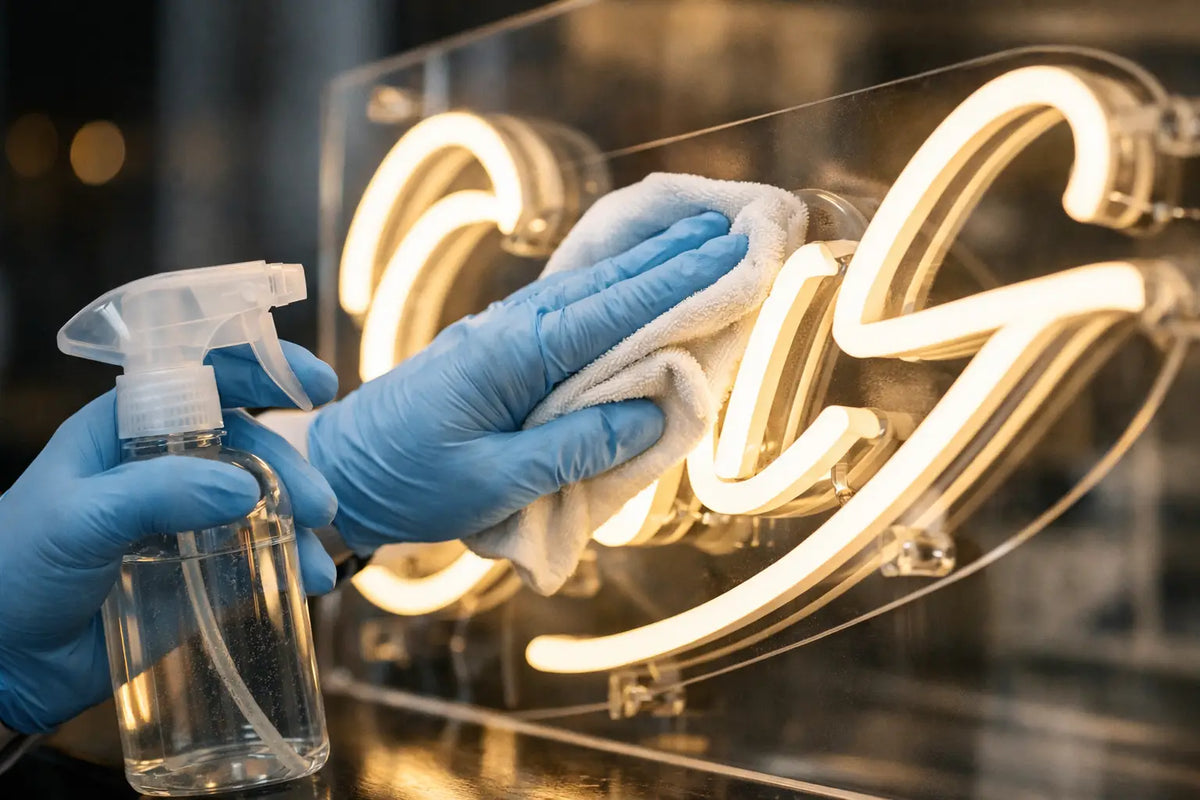
For routine cleaning, a soft dry or slightly dampened microfiber cloth is usually sufficient. This is the basic tool that works at home and in businesses. Microfiber captures fine dust without unnecessary friction and without the risk of leaving small scratches on the surface. Paper towels or coarser fabrics might seem like a quick solution, but they often leave fibers, streaks, or unnecessarily abrade the surface.
If there's only a light layer of dust on the sign, clean it dry. For greasier marks, a cloth lightly dampened with clean water will help. The word "lightly" is important. The cloth should not be so wet that water drips from it. Although LED neon signs are durably made, excessive moisture around wiring, connectors, or the power source is an unnecessary risk.
What to use for stubborn dirt
When grease from the kitchen, aerosol from a beauty salon, or fingerprints from frequent handling settle on the sign, water alone may not be enough. In such cases, a very mild cleaning solution can help – for example, lukewarm water with a drop of gentle soap. Nothing aggressive, nothing perfumed, nothing containing abrasive particles.
Lightly dampen the cloth, wipe away the dirt with gentle strokes, and then wipe the surface again with a clean cloth dampened only with water. Finally, dry everything with a dry microfiber cloth. This last step is worthwhile. It's thanks to this that the surface won't be dull or streaky.
For signs located in catering establishments or busy commercial interiors, a more thorough cleaning is often required. There, not only dust accumulates on the surface, but a mixture of grease, moisture, and general operational grime. In such an environment, it's better to clean more frequently and gently, rather than letting dirt sit for a long time and then having to remove it forcefully.
What to avoid when cleaning LED neon
This is often where it's decided whether the sign will still look great after a year, or tired. The biggest mistakes are aggressive glass cleaners, high-concentration alcohol, technical solvents, and kitchen degreasers. They can damage the surface finish, leave marks, or harm the acrylic backing on which the neon is often mounted.
Similarly problematic are rough sponges, brushes, and pressure. If dirt doesn't come off on the first pass, don't press harder. Instead, lightly dampen the surface, let it sit for a few seconds, and then gently wipe it. For LED neon, it's not true that more force means a better result. More likely, it means a greater chance of scratches.
Also, be careful not to spray cleaning product directly onto the sign. Always spray only onto a cloth. This prevents liquid from seeping into places where it doesn't belong. This is doubly true for larger signs that have more joints, power cables, or mounting elements.
How often to clean an LED neon sign
There's no universal answer, as it depends on where the sign is hung. In a bedroom or living room, a light cleaning every few weeks is usually sufficient. In a café, bar, hairdresser, or showroom, quick maintenance might be ideal every week. The more prominent the location, the more even minor neglect will show on the sign.
A good rule is simple – clean before the dirt is obvious at first glance. For lighting decorations, it's not just about hygiene, but about the effect. Neon is meant to attract attention, create atmosphere, and in business, also support how the brand appears externally. A dusty sign unnecessarily detracts from this effect.
How to clean an LED neon sign based on its location
Not every sign needs the same approach. For home signs, dust and occasional fingerprints are usually the main enemies. Here, gentle wiping and occasional polishing will suffice. In a children's room or a room with higher humidity, it's good to also check around the brackets and the edges of the backing board, where dust tends to collect.
In commercial establishments, the situation is a bit different. The sign is usually part of the visual presentation, often in the guests' line of sight and sometimes even in photos or videos on social media. If the neon is near a kitchen, coffee machine, street entrance, or an area with high traffic, dirt accumulates faster and unevenly. Here, it helps to establish a short routine – perhaps a regular check during business cleaning.
For outdoor or semi-outdoor installations, it depends on the specific design and protection. Here, caution is even more important, as street dust, pollen, rain, and temperature fluctuations come into play. If you are unsure what a given type can withstand, stick to the gentlest cleaning option with minimal moisture.
What to do if the sign doesn't look good after cleaning
Sometimes the problem isn't dirt, but that streaks have formed on the surface or dried marks remain. This is most often after using an unsuitable product or a too-wet cloth. In such a case, it helps to wipe the surface again with a clean, slightly dampened microfiber cloth and then dry thoroughly.
If you notice yellowing, minor scratches, or an uneven appearance of the backing board, cleaning will no longer solve the problem. These are signs of wear and tear or improper care from the past. Here, it's better not to continue with trial and error methods and instead choose a gentle approach to prevent the condition from worsening.
If, on the other hand, a part appears to be glowing weaker, it's not a matter of surface maintenance. It could be due to power supply, connection, or a technical installation detail. Cleaning is great for appearance, but it doesn't address electrical functionality.
Simple Maintenance That Extends the Effect
The best cleaning is the one you don't have to rush at the last minute. An LED neon sign benefits from regular gentle care, not an occasional major intervention. Once grease or layers of dust are left on the surface for a long time, removal will always be more difficult and the result less clean.
It also pays to think about placement. If possible, do not place the sign directly where it will be exposed to steam, greasy air, or intense touching for long periods. Sometimes, shifting it by a few tens of centimeters makes maintenance half as much. This is precisely the difference between a light that just hangs on the wall and a light that maintains its wow factor long-term.
For both custom and designer neons, a clean surface better shows the color, shape, and intensity of the light. And that's why it makes sense not to underestimate care. Visual detail often determines how a space feels as a whole – cozier at home, or more convincing in business.
If you want your sign to continue functioning as a distinctive element of the interior or brand, view cleaning as part of its presentation, not as a necessary evil. Just a few minutes, a gentle cloth, and the right procedure. And the light will continue to do exactly what it's supposed to – attract attention and create an unforgettable atmosphere.